
How Large Models and Agents Are Democratizing Technology
I really do not know Git very well.
During campus-recruitment interviews, I could talk circles around interviewers and casually reel off commands such as merge and revert over the phone. But honestly, I had barely used them.
After more than four years of work, I still knew only the five basic moves: pull, add, commit, checkout, and push. I rarely encountered complex Git commands or collaboration workflows in daily work, so I had little motivation to study them carefully.
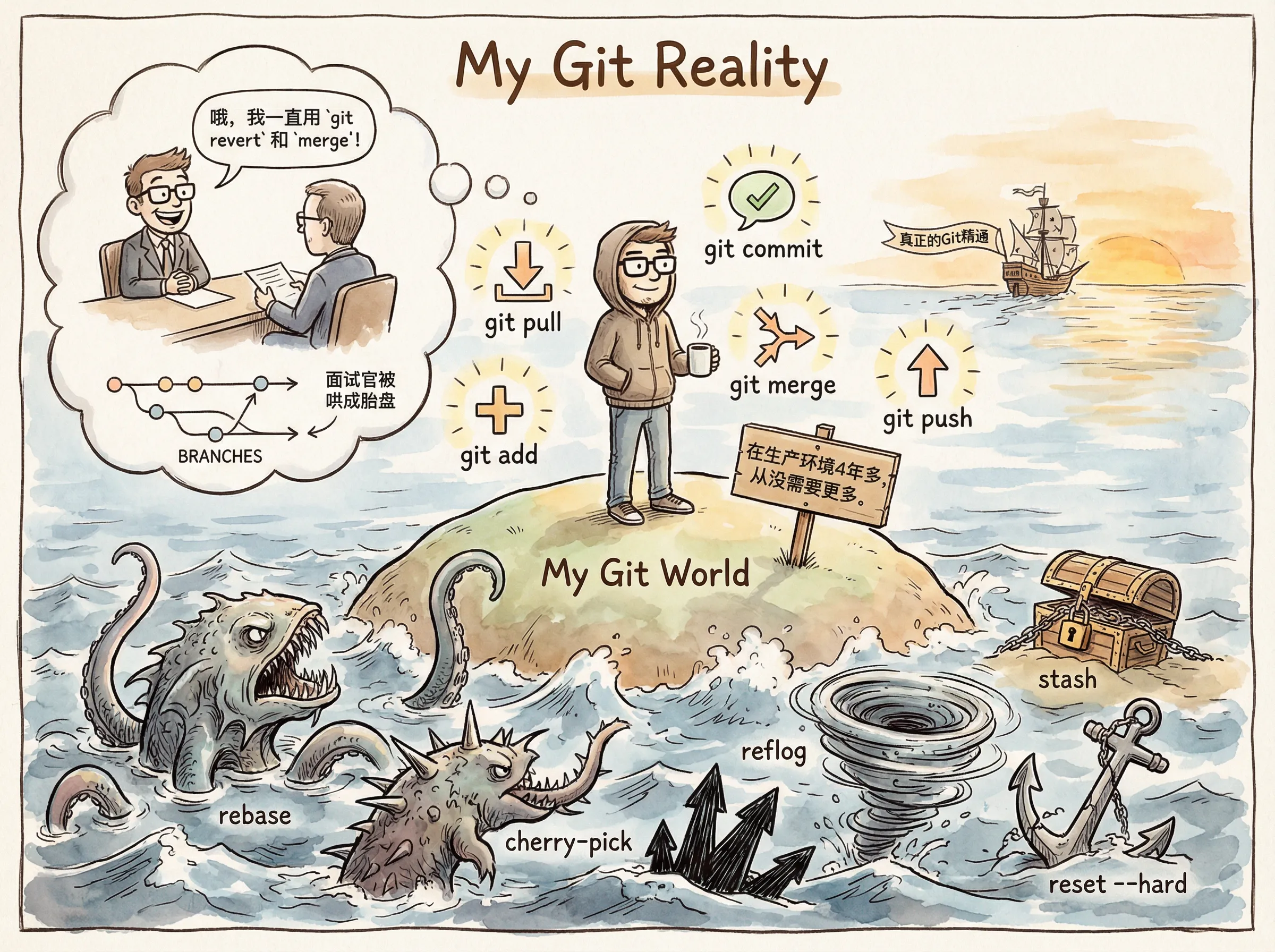
But if you often walk beside the river, eventually your shoes get wet.
At around 10 p.m. last night, a teammate, Xiao A, committed and pushed the code for his feature branch as usual. After pushing to the test branch, he predictably encountered conflicts: with year-end approaching, no fewer than five feature branches had been merged into the test branch while awaiting deployment to the test environment.
This situation is common. Xiao A pulled the remote test branch, intending to merge his feature branch into it. Instead, with one slip, he merged hundreds of commits from the test branch into his own feature branch.
He did not yet realize how serious the situation was—or even that there was a problem—and continued committing code locally on his feature branch.
After several rounds of local commits, once he was satisfied that the code worked and prepared to push it to the remote test branch, he suddenly discovered that the test branch had contaminated his branch. His feature was due for testing and release the next day; he could hardly deploy everyone else’s test code along with it.
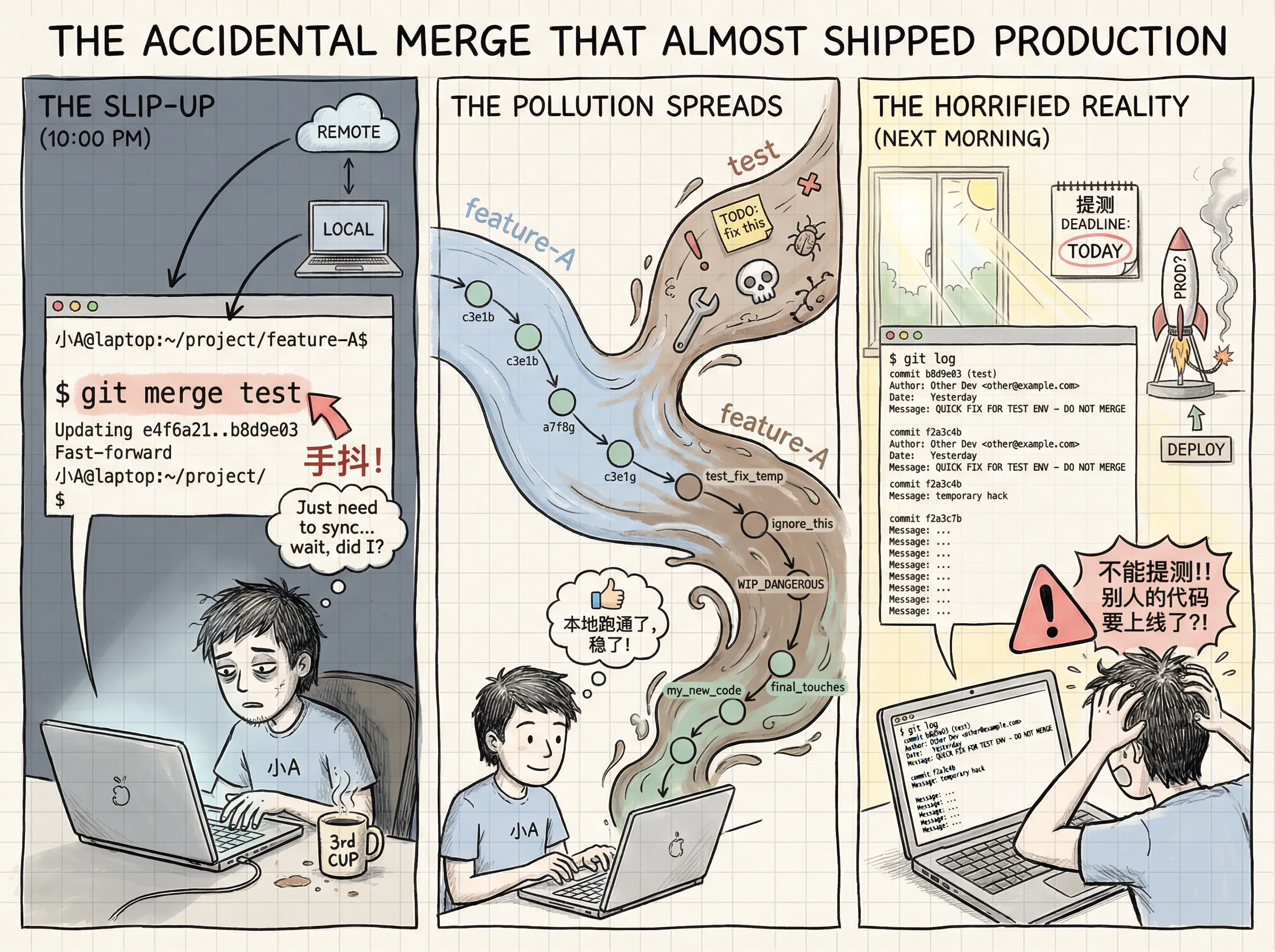
Xiao A began to panic.
Like me, he did not know Git particularly well. After struggling for an hour, he still could not remove the unwanted commits from his local feature branch.
With no better option, he created a new branch and cherry-picked his earlier commits onto it. By the time he finished, it was already past midnight. Exhausted, he took a taxi home under the moonlight.
The incident caused no major damage, but I was sure there had to be a way to remove the junk commit history from the original branch. The next morning, I opened GPT.
As I typed, “Branch A accidentally merged branch B. How can I remove multiple commits from B?” and prepared to press Enter, a thought occurred to me: “Could I just ask Claude to operate on it directly?”
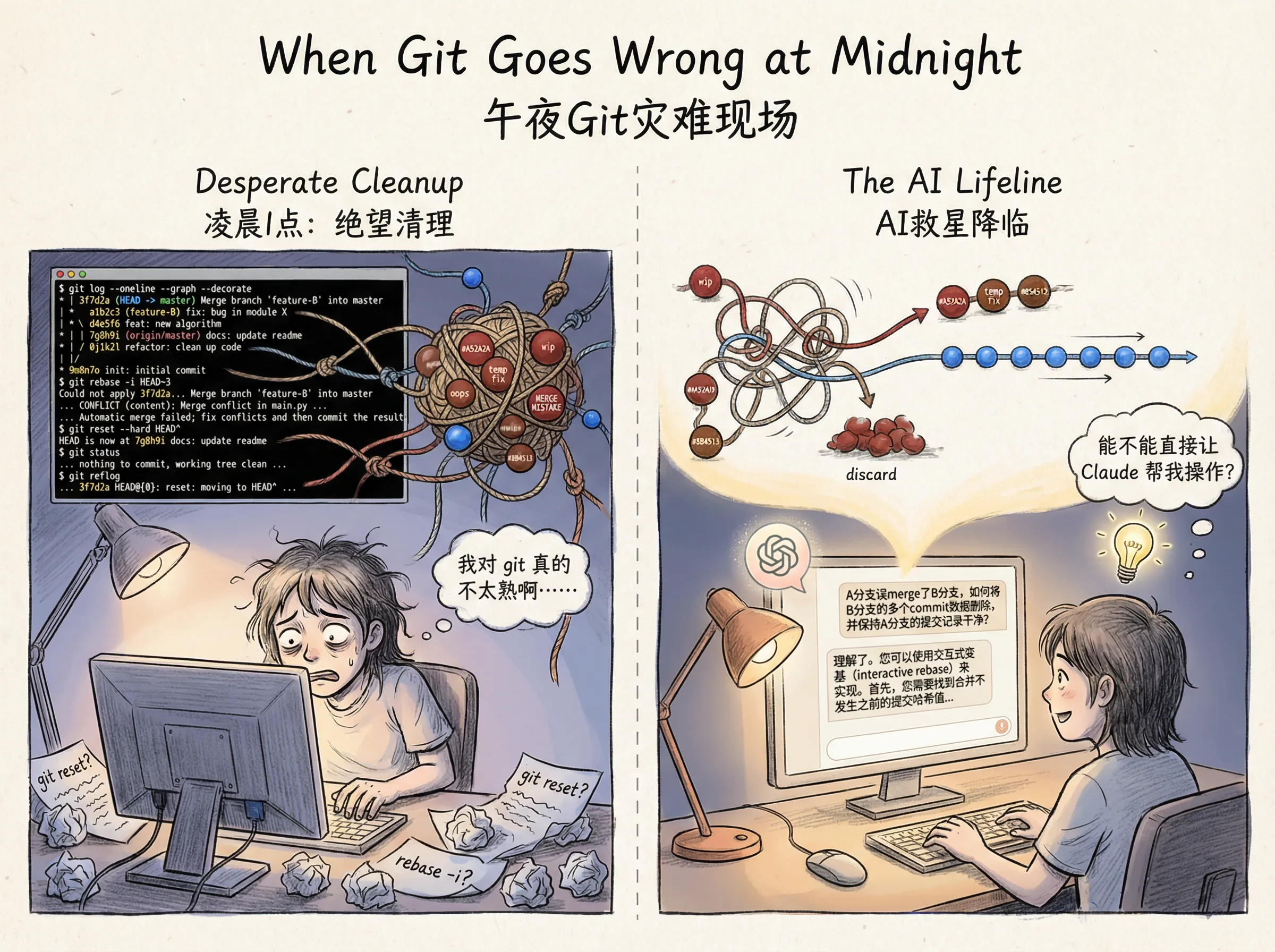
That led to the following conversation with Claude.
Me:
My Git branch accidentally merged another branch. Please roll it back to the latest commit whose committer is Xiao A.
CLAUDE:
Understood. I first need to find Xiao A’s latest commit hash and inspect the current working-tree state.
The target commit is commit_hash_A. I also found that an interactive rebase is currently in progress and has merge conflicts. To roll back safely, I need to abort the current rebase and then perform a hard reset.
Me:
Roll me back to this commit: a3a8f43dfa8eac801e804f76cf2c36450c717479.
CLAUDE:
No problem. I will reset HEAD directly to that commit.
Me:
Can you force-push my local branch to the remote repository?
CLAUDE:
Yes. I have confirmed that the current branch is feature_1. Because we just rolled it back, the local branch is behind the remote and requires a force push.
Me:
The remote repository still contains the earlier merge commits and differs from my local branch. How do I remove them?
CLAUDE:
Let me compare the commit-history differences between the local feature_1 and the remote branch.
The analysis shows that although the local pointer is correct, the remote history contains many nonlinear merge commits automatically produced by the build system. We need to clean up the timeline.
Please confirm your cleanup strategy:
- Completely discard every commit after the target?
- Or retain normal code commits after the target while removing only the merge commits?
Me:
I want to retain the normal commits after a3a8f43dfa and remove only the merge commits—the commits not made by Xiao A.
CLAUDE:
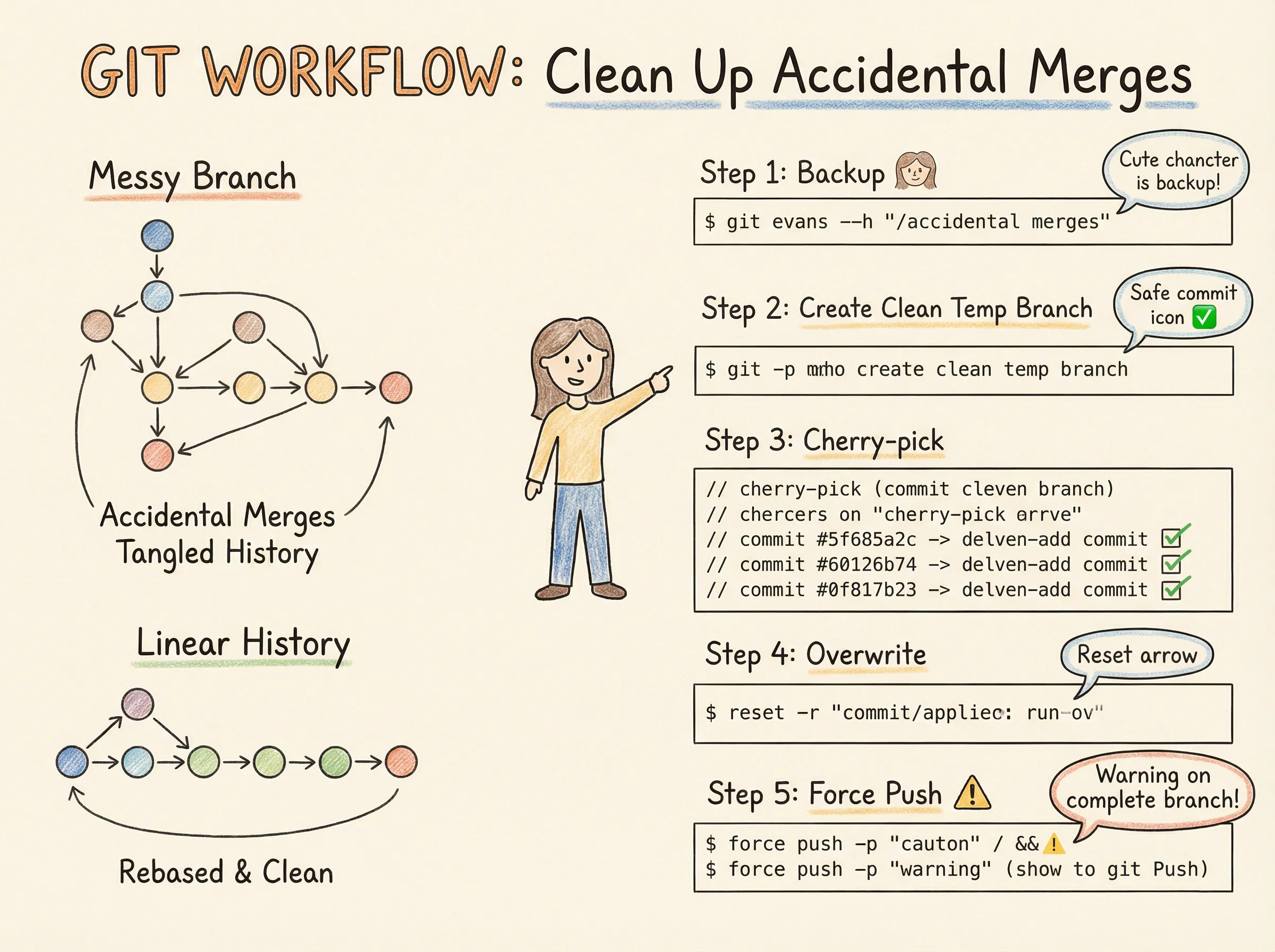
Understood. This is a complex “rebase cleanup” task. Strategy: create a temporary branch from the clean commit, “pick out” (
cherry-pick) Xiao A’s valid commits from the old branch, append them to the new branch, and finally replace the original branch.
- Create a backup and temporary branch
- Select and migrate Xiao A’s commits
- Replace the main branch and push
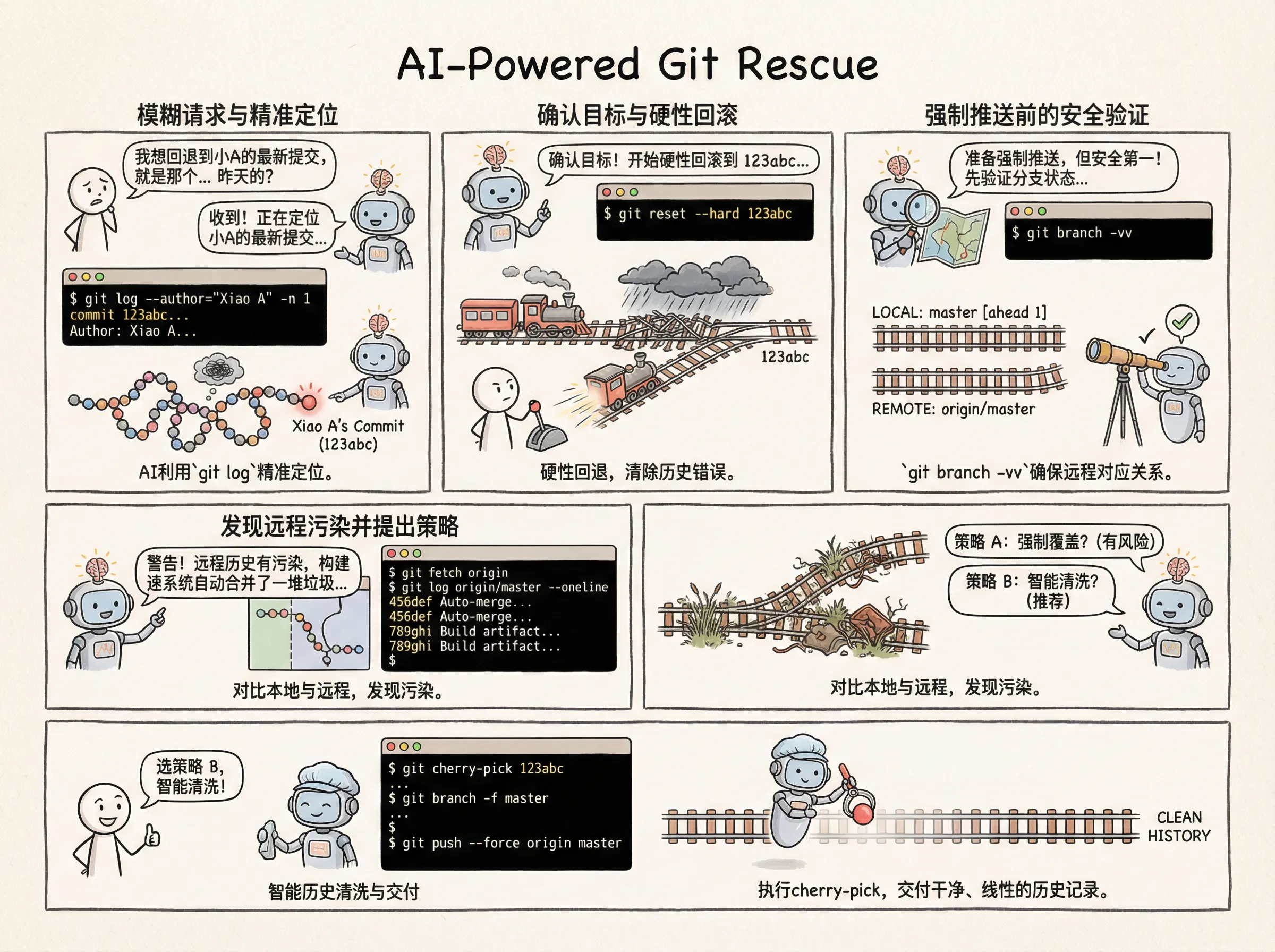
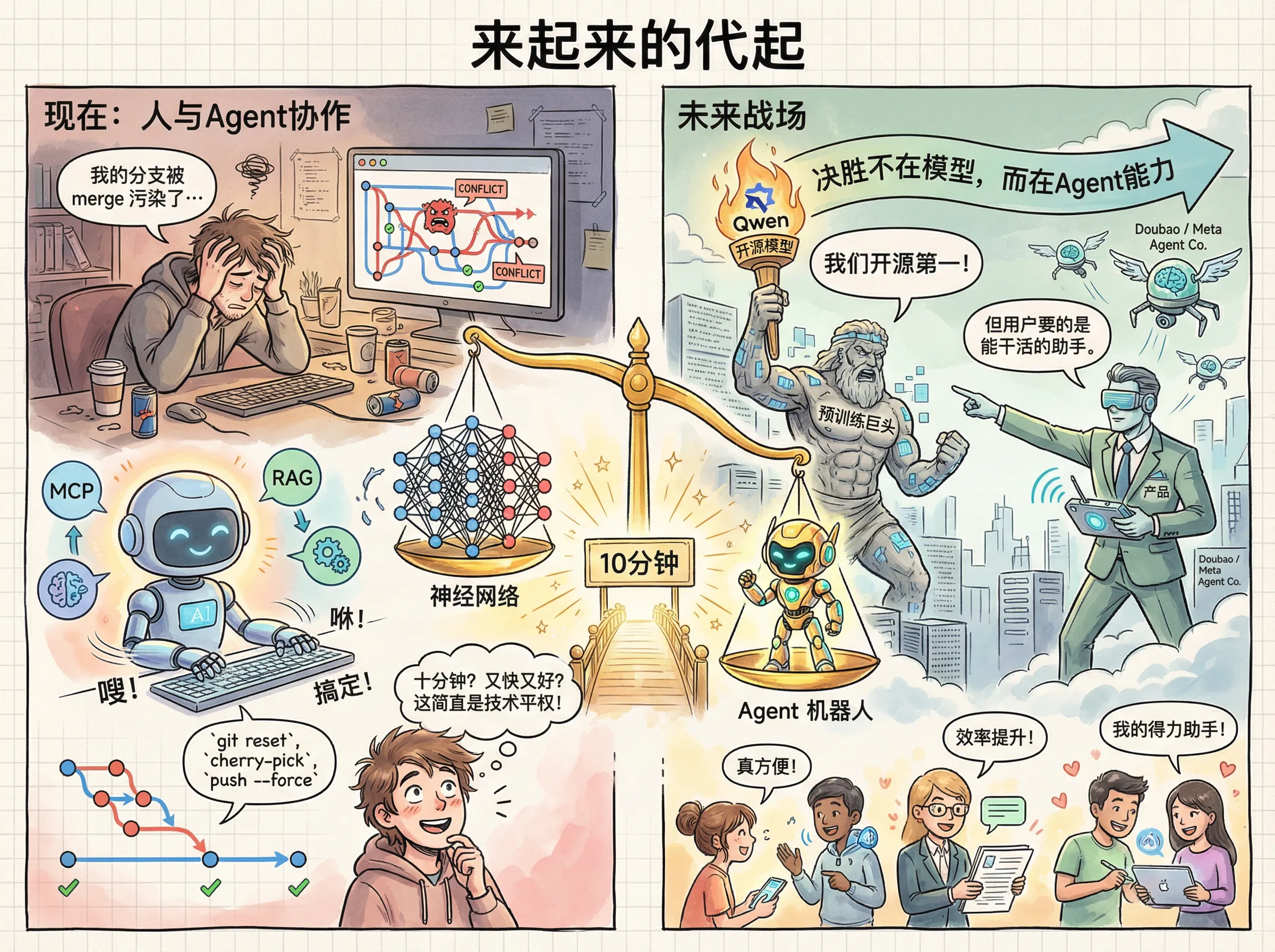
From asking Claude the first question to its completing the entire job took less than ten minutes. It was fast and effective. At that moment, I truly felt that technology had been democratized.
Our use of large models should not stop at conversation. With capabilities such as MCP and RAG integrated into agents, a well-written prompt can enable them to complete a great many tasks for us.
Inside the company, we have also used large models and coding agents to generate code autonomously. Many teams are actively exploring autonomous ticket diagnosis, integration testing, and other capabilities based on large models and agents.
Individuals should likewise use agents to automate routine chores. Our working model may eventually change: learning how to talk with an agent and supervise it may become an important subject.
The foundational capabilities of large models—what we usually call pre-training—matter greatly. Some people say post-training matters too, and I do not disagree. In the consumer market, however, agent capability will be the decisive factor for many AI products.
I believe that helps explain why Meta spent a billion dollars acquiring a company that did no model training and focused only on agents. It also helps explain why Alibaba’s Qwen, despite becoming the leading open-source model worldwide, still cannot outperform Doubao in the consumer market.
Finally, returning to today’s topic: how can you quickly remove a branch that was merged into your Git history? See the image below.
Note: the images in this article were generated with Gemini Nano Banana Pro.