
A Practical Guide to Claude Code Commands
Work agents were the undisputed stars of 2025, with Claude Code standing out most. Claude Code has remained at the forefront of coding agents, introducing concepts such as skills and subagents that have become de facto standards.
Subsequently, a series of coding agents—including Qoder, Gemini CLI, Qwen CLI, and CodeX—have followed CC’s main design. Once one understands the principles of one agent, that understanding can transfer to the others.
Meanwhile, concepts such as commands, skills, rules, and subagents exist in nearly every work agent. Once these assets are accumulated, they can be smoothly reused by other agents.
So, based on Claude Code’s official documentation plus my own understanding, I have organized these slash-command-related concepts to help with later vibe coding.
This is the first article in the Claude Code series. It introduces foundational concepts and operations. I expect two more articles: one on common context-optimization techniques in CC, and another on my personal thoughts about assisting programming with CC.
Basic concepts
Command
A command is the most direct user prompt for driving an agent. Entering instructions directly in the CLI or GUI input box triggers CC to respond.
If an instruction is too long or reusable, it can be made into a file and placed in the .cluade/commands/ directory. The next time it is needed, enter slash + command directly in the CLI, as shown below:

Skill
For related material, see: https://code.claude.com/docs/en/skills
A Skill can be understood as a large command that turns complex or standard work into an SOP. The biggest difference between a skill and a command is that skills can be invoked proactively, while during vibe coding Claude Code can also analyze context and decide whether to invoke a skill automatically. So how do we write a skill?
Writing a skill manually is certainly good, but in the AI era we can also ask CC to write it. Claude Code’s official skill guide and skill instruction can help us create one.
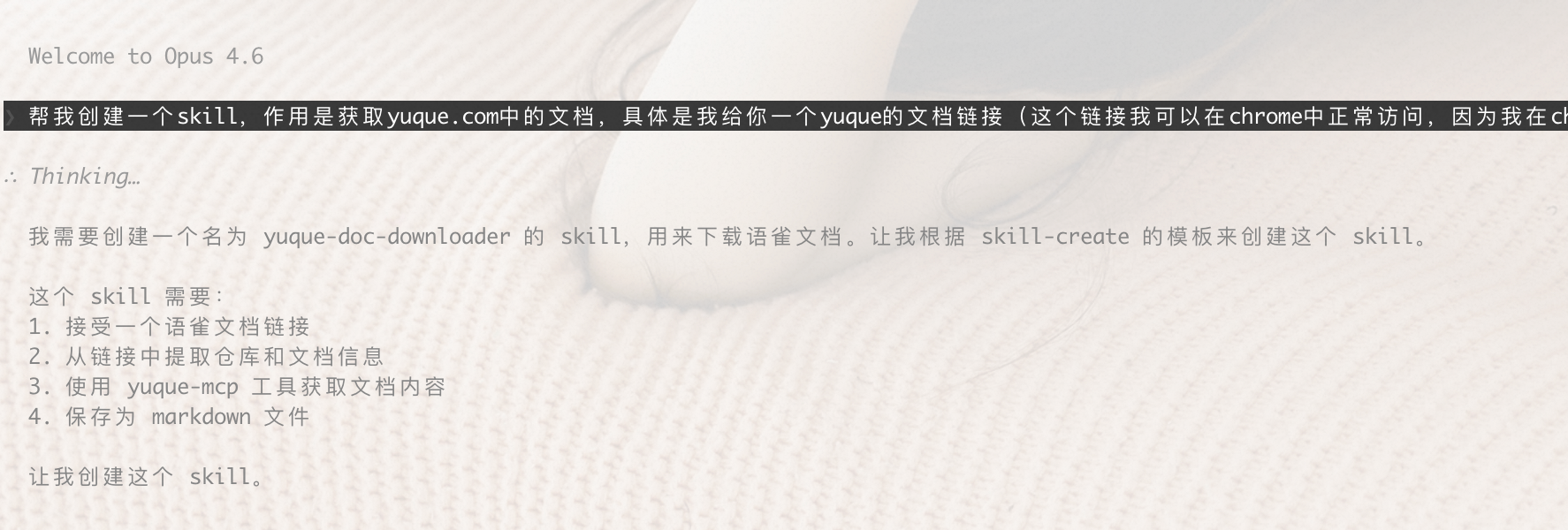
Once we have a skill for creating skills, we can converse with Claude Code to make other skills. For example, I wanted a skill that retrieves a document from yuque.com, with the following prompt:
Help me create a skill that retrieves documents from yuque.com. Specifically, I give you a Yuque document link (I can access it normally in Chrome because I am logged into my own Yuque account there, and the link is to my own Yuque document). Please read the document from the Yuque link, download it locally, and save it in Markdown format.
Claude Code can automatically discover the skill-create skill we just wrote, as follows:
I have uploaded the generated skill to GitHub; interested readers can click here to obtain it.
Next, using the yuque-fetcher skill generated by skill-create to save a Yuque document locally, Claude Code traverses all available skills and invokes the yuque-doc-downloader skill by default to download the article.

The result is excellent too. Although the images did not display successfully, the basic content was all there.
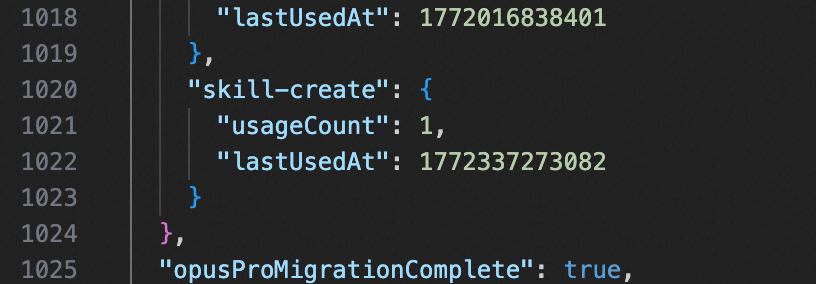
One question is how to discover whether a skill has been called. Check ~/.claude.json for the number of times a skill has been invoked in the background:
Rule
For related material, see: https://code.claude.com/docs/zh-CN/memory
The essence of a rule is also a kind of memory. CC supplies the complete rule to the LLM in every model request. We can inspect it with /memory:
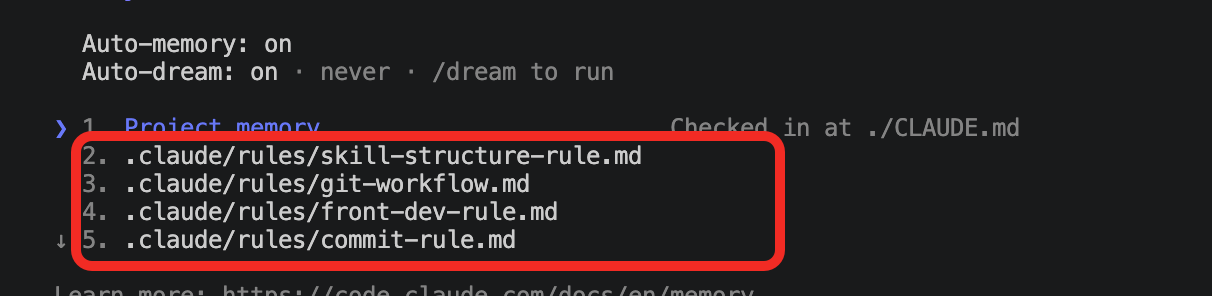
The most common use of a rule is constraining Claude’s behavior. For example, code conventions can be written as rules for CC to use as reference. Project-level rules are located as follows:
1 | your-project/ |
Note that the paths property can choose which files a rule applies to, as follows:
1 | --- |
Hooks
For related material, see: https://code.claude.com/docs/en/hooks-guide
The Hook mechanism gives users more precise control over Claude Code’s behavior. We can run various commands before and after sessions, and before and after scripts execute.
According to CC’s official documentation, common hook phases are as follows:
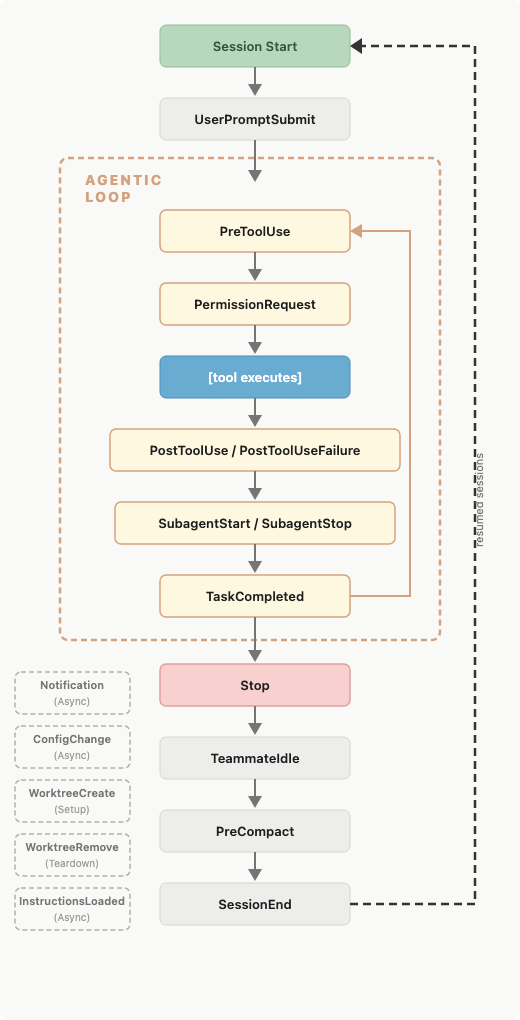
A classic hook use case is context compression. For a project, we can have Claude compress context into local storage every time a Claude session closes, then automatically read it on the next launch.
Refer to Claude Code’s official example: whenever human intervention is needed, show a prompt so the task does not keep holding.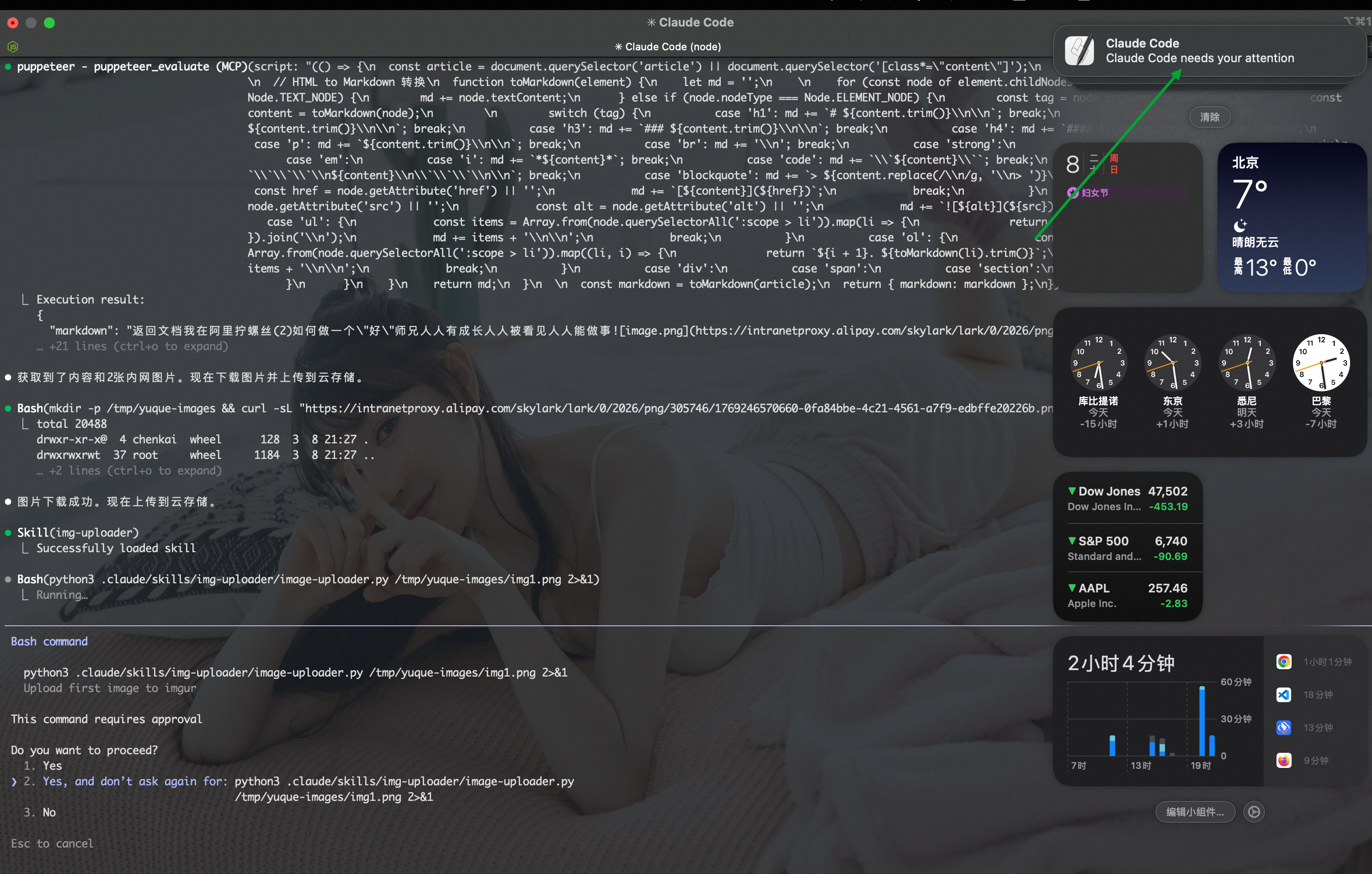
MCP
For related material, see: https://code.claude.com/docs/en/mcp
When Claude receives instructions, it lists not only all skills and rules, but all MCPs as well. Claude Code chooses the most appropriate MCP based on the user’s instruction.
Note, however, that MCP locations differ from those of skills and similar assets. Both user-level and project-level MCP configuration are in ~/.claude.json. Common MCPs include:
| Name | Purpose | Main capabilities |
|---|---|---|
| sequential-thinking | Sequential reasoning for complex problems. When solving multi-step problems, performing logical analysis, or planning complex work, this server helps build a chain of reasoning step by step. | Multi-step logical analysis, task planning, step-by-step derivation of conclusions |
| jetbrains | Integrates with JetBrains IDEs, such as IntelliJ IDEA, PyCharm, and WebStorm. | Lets AI read code directly, refactor, run tests, access project structure, and perform other IDE-level operations |
| browsermcp | Browser automation that lets AI control browser behavior. | Navigate pages, click elements, fill forms, take screenshots; suitable for web testing, data collection, and application debugging |
| puppeteer | Browser automation based on Puppeteer, with capabilities similar to browsermcp. | Page control, element operations, JavaScript execution, PDF/screenshot generation; lower-level and more programmable |
| context7 | Real-time access to current programming documentation and code examples, beyond the timeliness limits of AI training data. | Query API usage, obtain current library documentation, retrieve code examples, and support lookup of version updates |
Note: browsermcp and puppeteer overlap in function, but browsermcp is a general browser-MCP interface, while puppeteer usually refers specifically to an implementation based on Chromium and Node.js automation.
Of course, MCP can also be configured at project level; use this command:
1 | claude mcp add --transport http hubspot --scope user https://mcp.hubspot.com/anthropic |
Subagents
For related material, see: https://code.claude.com/docs/en/sub-agents
Different agents can use different skills and MCPs, permissions, models, and context. In my view, the most important feature of a subagent is context isolation: different tasks can be isolated in separate contexts. This saves many tokens and makes model responses more precise.
Because a subagent is still an agent, its capabilities are almost the same as those of the primary agent. A subagent also has independent memory for maintaining long-term context; when creating one, we can explicitly enable memory storage.
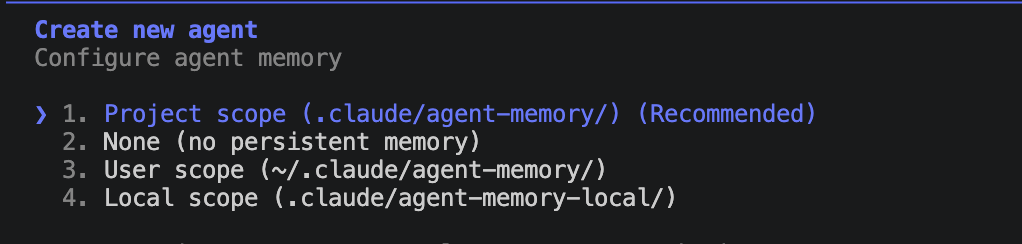
How do we activate a subagent? There are two approaches. One is natural language in the CLI, such as Use code reviewer to help me complete a code review; the other is @ to explicitly require Claude Code to use an agent, such as Use @‘code reviewer(agent)’ to help me complete a code review.
After creating a subagent, its storage location is the same as skills and commands. At project level, it is stored in project/.claude/agents/.
For example, we can create a code-reviewer subagent to review code independently of the primary context.

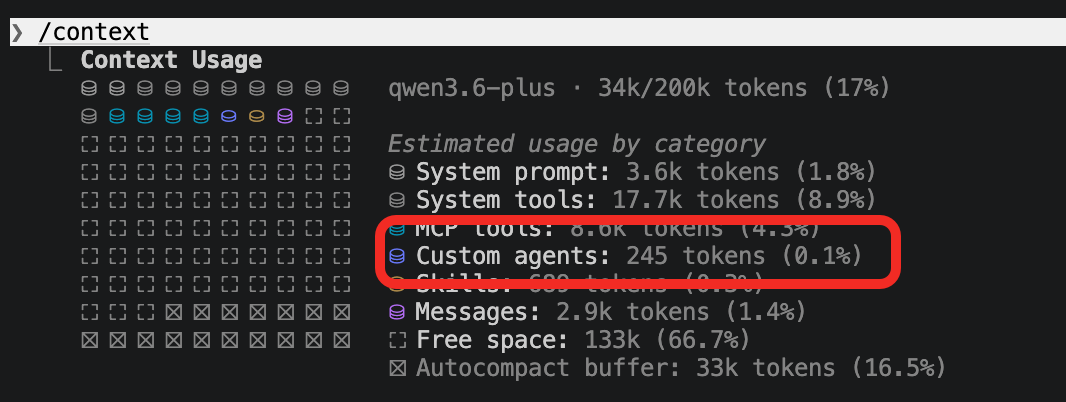
As shown, the system can select the appropriate subagent based on natural language. But if the system can automatically find subagents to use, they also occupy a place in memory. In other words, more subagents are not always better; too many can, like MCPs, exhaust the context-token budget.
Plugins
For related material, see: https://code.claude.com/docs/en/plugins
A Plugin, as the name suggests, is a plugin. It is a collection of commands, skills, subagents, and so on. A Plugin is a solution for addressing one kind of work.
This article will not elaborate on it for now. Later I will create a plugin that pulls blog posts from the Yuque website and automatically publishes them to a WeChat Official Account, a personal website, and Xiaohongshu, then demonstrate its packaging capability.